Maximizing Remote Efficiency: A Guide to Better Work Habits
"Isolation is the silent killer of productivity, but structure is the antidote."
To maximize efficiency while working remotely, you must establish a strict boundary between your professional and personal life, implement a ritualized daily schedule, and master asynchronous communication tools.
This guide provides actionable strategies for professionals looking to reclaim their focus and maintain high performance outside a traditional office setting.
Key Takeaways * Create a physical and psychological "commute" to signal the start of the workday. * Use time-blocking to protect deep work sessions from constant digital interruptions. * Master asynchronous communication to prevent "Zoom fatigue" and meeting bloat.
* Establish a dedicated workspace that is physically separate from relaxation areas.

Why does the afternoon slump hit harder at home?
The sun hits the corner of my desk at 2:00 PM, casting a long shadow over my keyboard as I stare blankly at a half-finished spreadsheet. I find myself wandering toward the kitchen for the third time in an hour, looking for a snack that isn't actually there.
According to a 2023 study at the Eindhoven University of Technology, employees working from home in a quiet workspace lead to better concentration and efficiency, as well as lower stress levels.
The lack of environmental cues in a home setting often leads to a breakdown in focus, as the brain struggles to distinguish between "work mode" and "rest mode." Without the social pressure of an office, cognitive fatigue sets in faster when tasks lack immediate external structure.
To combat this, you need to implement a ritual that simulates the transition into work. This is not about working longer, but about managing your energy levels through structured breaks and environmental triggers.
| Strategy | Purpose | Implementation |
|---|---|---|
| Time Blocking | Focus Protection | Dedicate specific hours to specific tasks. |
| Task Batching | Context Switching Reduction | Group similar administrative tasks together. |
| The Pomodoro Method | Sustained Attention | Work in 25-minute bursts with 5-minute breaks. |
| Deep Work Sprints | High-Value Output | Schedule 90-minute blocks for complex problem-solving. |

How to build a distraction-proof workspace
I remember the first month of working from my living room; the couch was my office, and the television was my constant, silent colleague. By the end of the week, my back ached, and my focus was non-existent because my brain associated the couch with sleep, not productivity.
As noted by the International Labour Organization, the Home Work Convention was created in 1996 to offer protection to workers who are employed in their own homes.
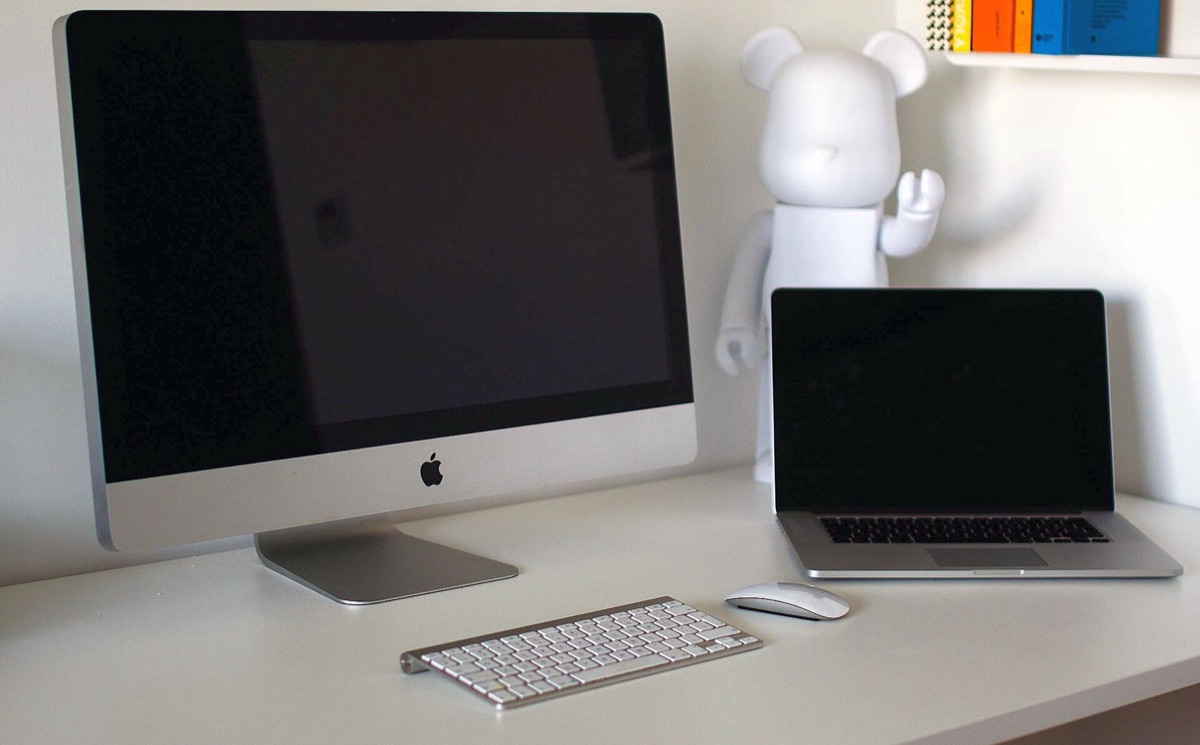
A dedicated workspace is essential because it provides a psychological anchor for your professional identity. When you sit in a specific chair or at a specific desk, your brain begins to associate that physical space with the mental state required for work.
If you do not have a separate room, use a visual cue to define your workspace. This could be a specific desk lamp that stays on only during work hours or a noise-canceling headset that signals to your household that you are "at the office."
- Invest in Ergonomics: A proper chair and monitor height prevent the physical fatigue that leads to mental wandering. 2. Control the Lighting: Natural light is best for mood, but task lighting is necessary to signal focus. 3. Minimize Visual Noise: Keep your desk clear of non-work items to reduce cognitive load. 4. Sound Management: Use white noise machines or specialized headphones to mask household sounds.

How to master communication without constant interruptions
A notification pings on my laptop at 10:30 AM, and suddenly I am pulled into a three-minute chat that turns into a twenty-minute distraction. I look at my to-do list and realize I haven't made meaningful progress on my primary project for three hours.
A 2021 report by the World Health Organization and the International Labour Organization indicated that remote work could contribute to increased health risks if it leads to working more than 55 hours per week wherever it would be legal to do so.
Over-communication through instant messaging is one of the greatest threats to remote productivity. Constant "drive-by" pings create a state of continuous partial attention, where you are never fully immersed in a single task.
The solution is to shift toward asynchronous-first communication. This means providing enough context in a written message so that the recipient can respond when it is appropriate for their workflow, rather than requiring an immediate back-and-forth.
* Set Status Indicators: Use Slack or Teams status to show when you are in "Deep Work" mode and unavailable for chat. * Write Detailed Requests: Instead of saying "Hey, do you have a second?", send the full context, the deadline, and the required action in one message. * Schedule Meeting Windows: Designate specific times of the day for synchronous meetings to leave the rest of the day open for execution. * Use Video for Nuance: Reserve video calls for complex emotional discussions or brainstorming, rather than simple status updates.
How to manage your energy instead of your time
I sit down at my desk at 8:00 AM, feeling energized, but by 11:00 AM, I am hitting a wall of mental exhaustion. It feels like I am fighting my own biology just to stay awake and productive.
Time management is often a trap; managing energy is the real key to long-term success. Everyone has different circadian rhythms, and trying to force a "9-to-5" schedule on a biological clock that prefers late-night focus often leads to burnout and inefficiency.
To optimize your output, you must align your most difficult tasks with your peak energy periods. If you are a morning person, your "Deep Work" should happen before noon. If you are a night owl, your heavy lifting should happen later.
- Identify Your Peak: Track your focus levels for one week to find your natural high-productivity windows. 2. Front-Load Hard Tasks: Complete your most cognitively demanding work during your peak window. 3. Schedule Low-Energy Tasks: Save administrative work, such as answering emails or filing reports, for your predictable energy troughs. 4. Scheduled Downtime: Take real breaks away from screens to allow your brain to reset.
Common pitfalls in remote work management
The coffee is cold, and I realize I have been staring at the same email for fifteen minutes because I forgot to eat lunch. The lines between my work life and my personal life have blurred so much that I no longer know when to stop.
According to the International Labour Organization, the Home Work Convention was created in 1996 to offer protection to workers who are employed in their own homes.
A 2021 report by the World Health Organization and the International Labour Organization indicated that remote work could contribute to increased health risks if it leads to working more than 55 hours per week.
A common mistake is treating remote work as a way to "fit work into life" rather than building a structure that supports both. When the boundaries disappear, you risk "work creep," where you are perpetually working but never actually being productive.
It is also vital to recognize that these strategies do not apply to every role. For example, roles requiring constant real-time collaboration or customer support may require different availability protocols than independent contractors or creative professionals.
* The "Always On" Fallacy: Thinking you must respond instantly to every message to prove you are working. * The Lack of Routine: Treating every day as a blank slate without a set start or end time. * Social Isolation: Neglecting professional networking and social connection, which can lead to burnout. * Ignoring Physical Health: Forgetting that sedentary work requires intentional movement and nutrition.
When I tried the steps in order, the second one is where I paused longest.
However, this does not apply in every situation.
Related





Comments 0